Reach far more people
By hand, 20–30 profiles an hour is the limit. With Auto Like Assistant, 100+ — and you can leave it running.
 Auto Like Assistant
Opening profile after profile and tapping Like every day —
isn't it a chore?
A Chrome extension that automates likes and profile visits on dating apps.
Press Start and leave it running — it reaches 100+ profiles an hour.
Installs in 30 seconds - no sign-up
To get a match, the other person first has to know you exist.
The easiest way to show up is a like — or, on Japanese apps like Pairs, a profile visit that leaves a “footprint”.
Doing it by hand means opening and tapping one profile at a time.
The more people you reach, the more people see you.
In short — people reached = chances to meet.
Open a profile, go back, scroll, tap again — one at a time. You don't have to anymore.
It works right on the real Tinder website, sending a regular like to each profile shown, one at a time. On Japanese apps such as Pairs, it opens each profile to leave a visit.
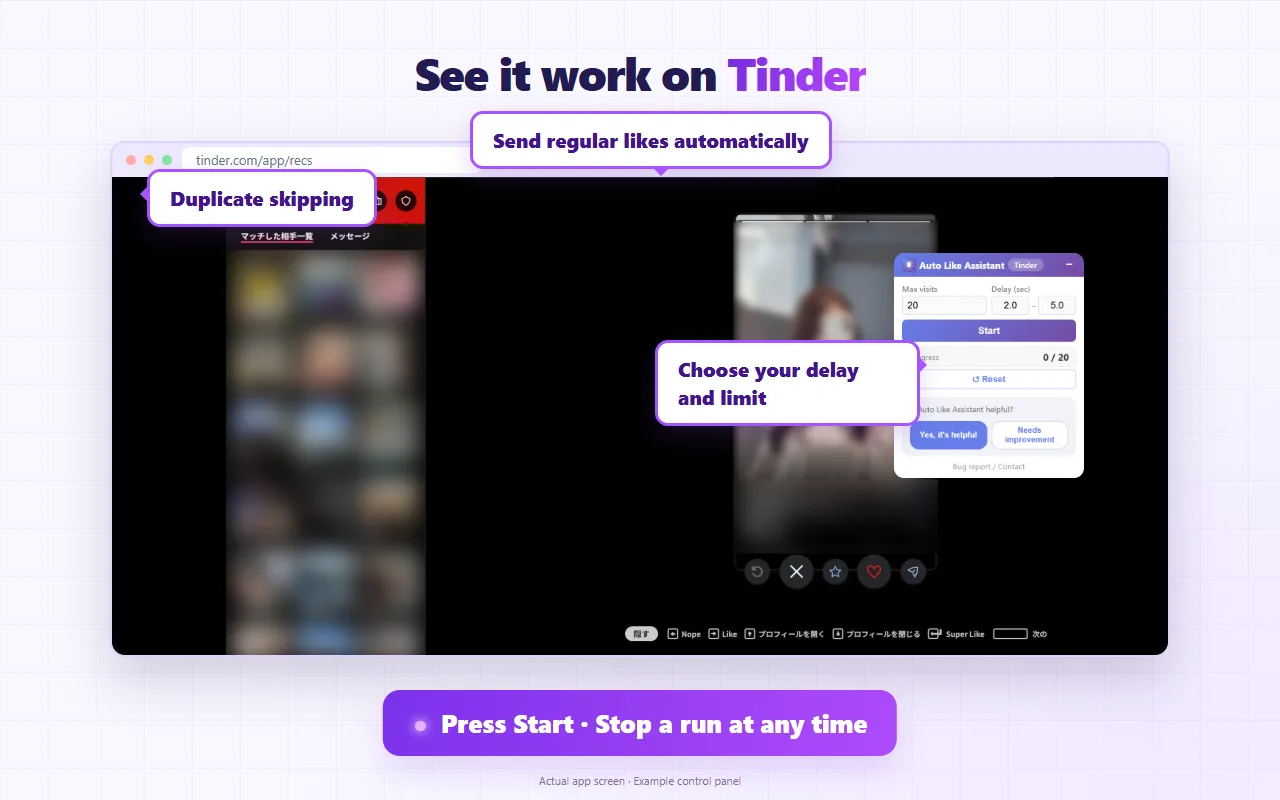
Actual Tinder screen with an example of the control panel. Members' photos are blurred for privacy.
With Auto Like Assistant, the way you use dating apps changes completely.
By hand, 20–30 profiles an hour is the limit. With Auto Like Assistant, 100+ — and you can leave it running.
When people notice your like or visit, they come to look at your profile. That's how matches start.
Spend the time you used to tap away on improving your bio and photos instead.
Every feature is free. No in-app purchases.
Keeps going until your limit. On Tinder, Badoo and OkCupid it likes card after card; on Japanese apps it reloads the search page every set number of people to load new profiles.
Set a minimum and maximum delay in seconds; each profile gets a random wait within that range, for a natural pace.
Set a maximum total; it stops automatically when it gets there, so you never overdo it.
Sends regular likes automatically on Tinder, Badoo, OkCupid and Match. On Tokyo Calendar Date it can also like the profiles it visits.
Profiles it has handled are remembered so the same person is not repeated (depending on the app and run state).
Settings and visit history are saved in your browser. The extension does not send them to any external server.
No complicated setup. Presets are built in, so it works right after you install it.
Just add it from the Chrome Web Store. No account or sign-in needed.
Open a supported app's website in Chrome and the control panel appears in the bottom-right corner.
That's it — it keeps going on its own. Keep the browser window in the foreground while it runs.
Here is what we do so you can use it with peace of mind.
No personal information is collected. All data is stored locally in your browser.
No data is sent to external servers. Uninstalling removes all of it.
The delay is picked at random within your range, so it never clicks at a fixed, mechanical interval.
A total limit prevents unusually heavy activity and keeps the risk as low as possible.
This may violate each dating app's terms of service. Account suspension is a real possibility, so please decide for yourself whether to use it. This is an unofficial tool, not affiliated with any of the apps. Use it at your own risk.
Add it straight from the Chrome Web Store